Quick start
Download the archive for your platform from Releases, unpack it and run RustGrid. There is no installer and no runtime to install; the Windows build is a single RustGrid.exe.
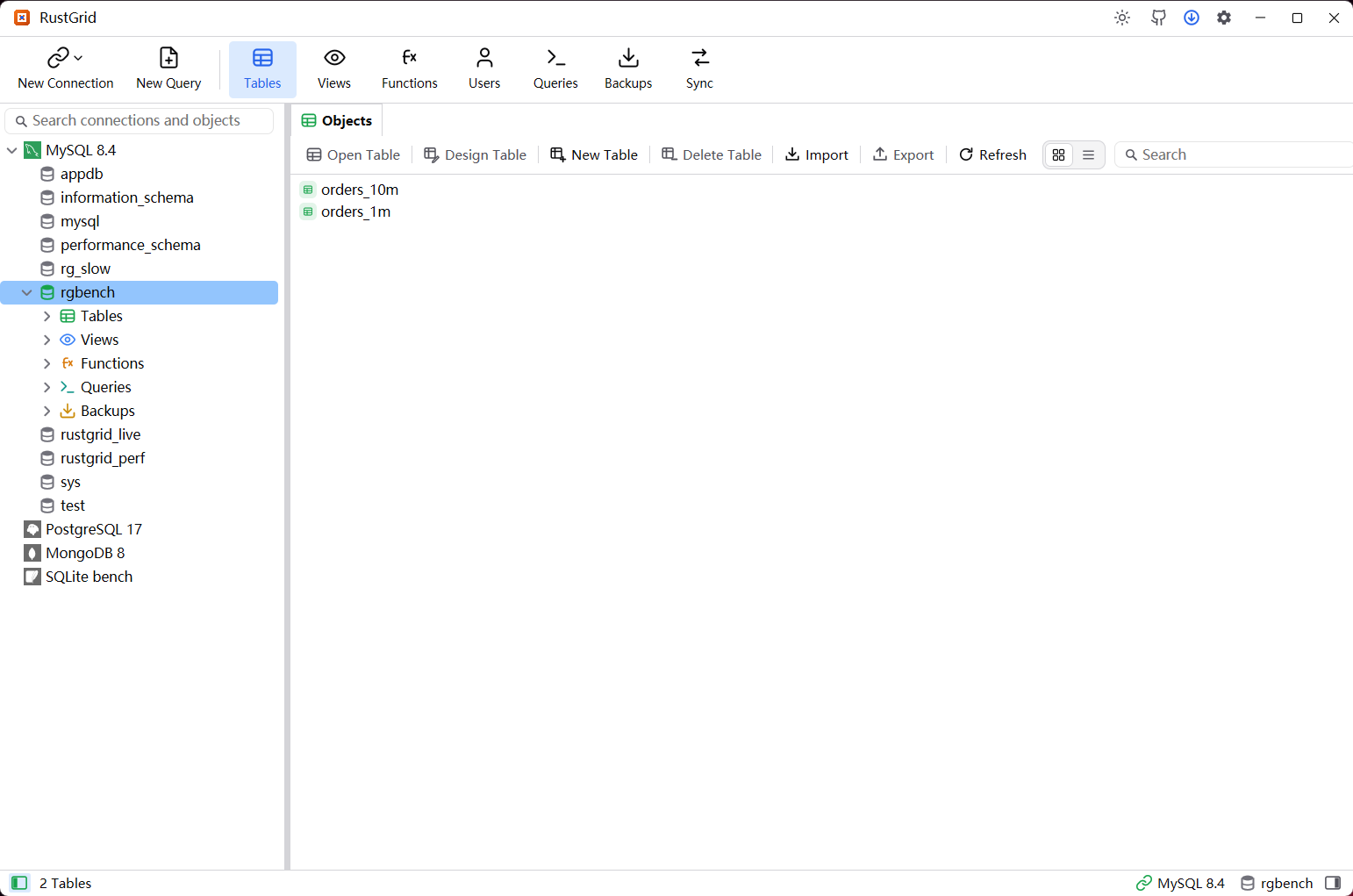
Connect
- Click New Connection and pick an engine.
- Enter the host, port, user name and password. SQLite takes a file path; ODBC takes a driver or connection string.
- Test Connection, then Save & Connect.
The password is only stored when Remember password is on, and it goes to the encrypted secret store rather than the connection profile. A missing password opens the prompt when the connection is used.
First steps
- Open a database in the tree, pick a table and double-click it to page the rows.
- Press New Query to run SQL against the selected connection and database.
- Open Backups to take a
.rgbakbackup before making large changes. - Sync compares two databases and previews the differences before writing.
Engines
| Type | Engines |
|---|---|
| SQL | MySQL, MariaDB, PostgreSQL, SQL Server, Oracle, SQLite, ClickHouse |
| NoSQL | Redis, MongoDB |
| Generic | ODBC (DB2, 达梦, other ODBC drivers) |
Details and limitations are on the Supported engines page.
Platforms
Windows 10+, macOS 13+ (Intel and Apple Silicon) and Linux x64 / arm64.
- macOS: the build is unsigned, so the first launch needs the context menu → Open. The app can update itself; a quarantined copy asks to be moved out of quarantine first.
- Linux: the archive contains the binary; no system libraries beyond the desktop's normal GTK setup.
- Updates: Settings → About checks the latest release and shows its changelog. The app downloads the matching asset for the current platform.
To uninstall, delete the executable or the .app bundle. Settings, connections and backups live in the OS configuration directory and can be removed separately.