Queries
The query editor is a full SQL workspace: write, format, run and keep results as editable grids.
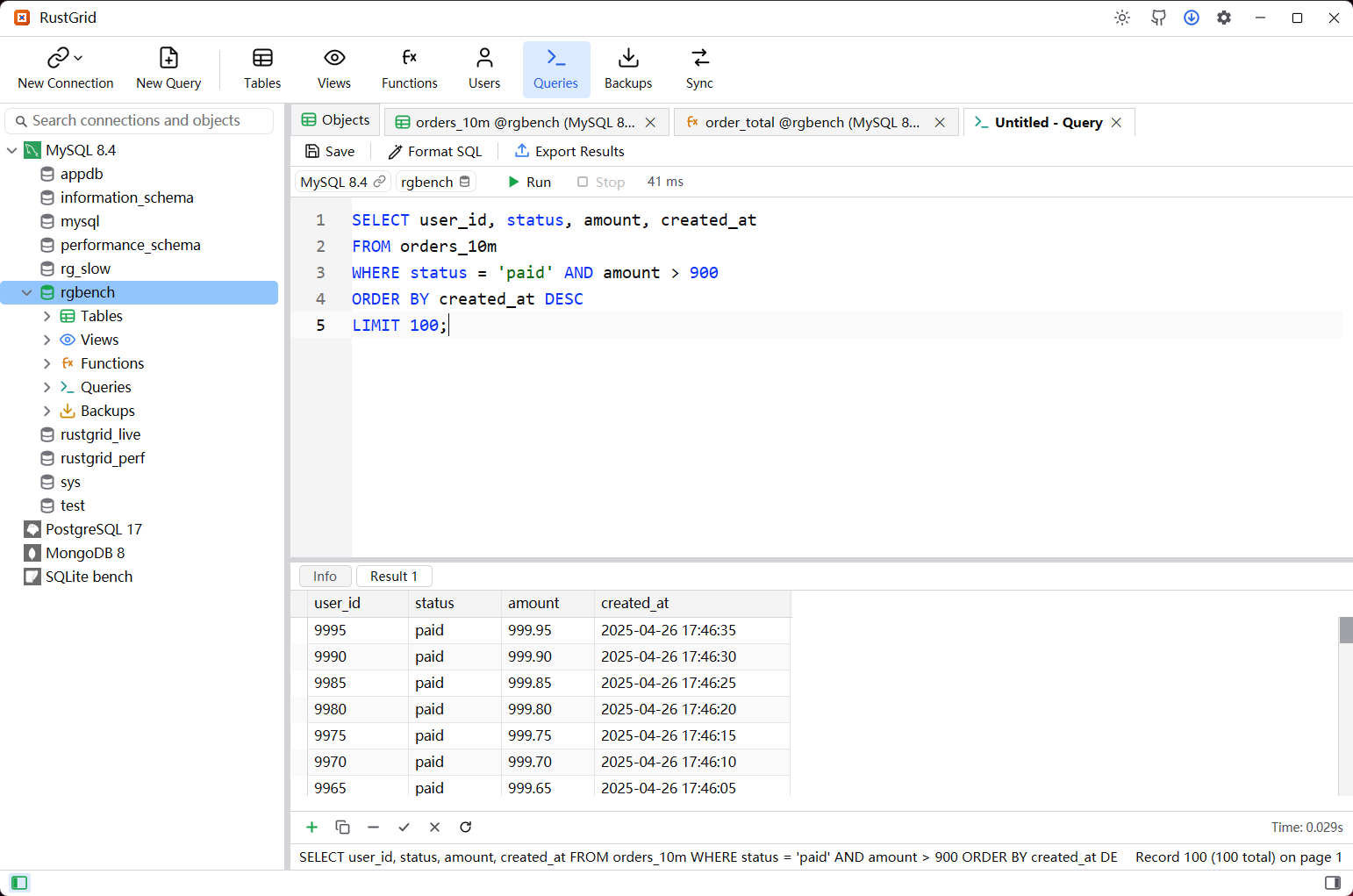
Start a query
- New Query (or
Ctrl+Q) opens an editor tab. It uses the connection and database selected in the tree; both can be changed from the tab's toolbar. - Choose a connection from the dropdown, then a database. The pair belongs to that tab, so different tabs can target different servers.
- A group query opened from a connection group runs the same SQL against every member and gives each connection its own result page.
Write
- Syntax highlighting, keyword/table completion (
Ctrl+Space), Format SQL, Explain, find (Ctrl+F), line numbers and word wrap. Ctrl+ mouse wheel zooms the editor; the font, line-number and wrap settings come from Settings → Editor and apply to already-open editors.Ctrl+Rruns the script;Ctrl+Shift+RorCtrl+Enterruns the selection. The statement limit per run and stop-on-error behavior are in Settings → General.
Results
- Every statement that returns rows gets a Result N tag beside Info; click a tag to switch grids.
- The result grid has the same controls as a table grid: sort, filter, field layout, copy and export. Results that can be mapped to one table can be edited in place; others open a read-only cell viewer on double-click.
- Export Results writes one result set, or several selected results into one
.xlsxworkbook (one sheet per result). Other formats keep one file per result. - Query grids page on the client: the whole result is held by the tab, and paging does not re-run the statement.
Save and reuse
Ctrl+Ssaves the query. An already-saved tab overwrites its file without a prompt; a new tab asks for a name and a connection/database location.- Queries lists saved queries with name, connection and database columns. The list follows the tree selection: a database shows its queries, a connection shows all of its databases, and any other selection shows everything. Click a header to sort, double-click to open,
F2to rename and the toolbar to delete.
Group queries
- Select a group in the tree and choose New Query (or use the group's context menu). The editor's Info / connection tags show one page per server.
- A closed member is connected for the run; its tree row is not expanded. A missing password, connection error or SQL error is reported on that server's page, so one failure does not block the others.
- A saved group query lives under
queries/_groups/<group-id>/and reopens as a group tab when its group or one of its members is selected.